M.μ.X.I.S.
Task Scheduler
Finish the work without stopping the conversation.
It takes the work you hand off as tasks and works through them in order, per working folder. Long jobs run in the background while you keep talking. Watch the progress, and stop at any time.
How It Works
Ask, then let it run.
Work you ask for in conversation is taken on by M.μ.X.I.S. as a task. All you do is keep talking.
- 01 ASKAskIn conversation, in your own words.
- 02 HOLDTake onWork becomes tasks, per working folder.
- 03 RUNRunOne at a time, in the background. Runs on F.A.L.Q.
- 04 DONENotifyWhen it's done, a notice arrives in the conversation.
Watch / Stop
Watch it. Stop it at any time.
You can see task progress in the M.μ.X.I.S. tab and from the colour of the tiles. Filter by all, done, upcoming, or conversation, and stop at any time.
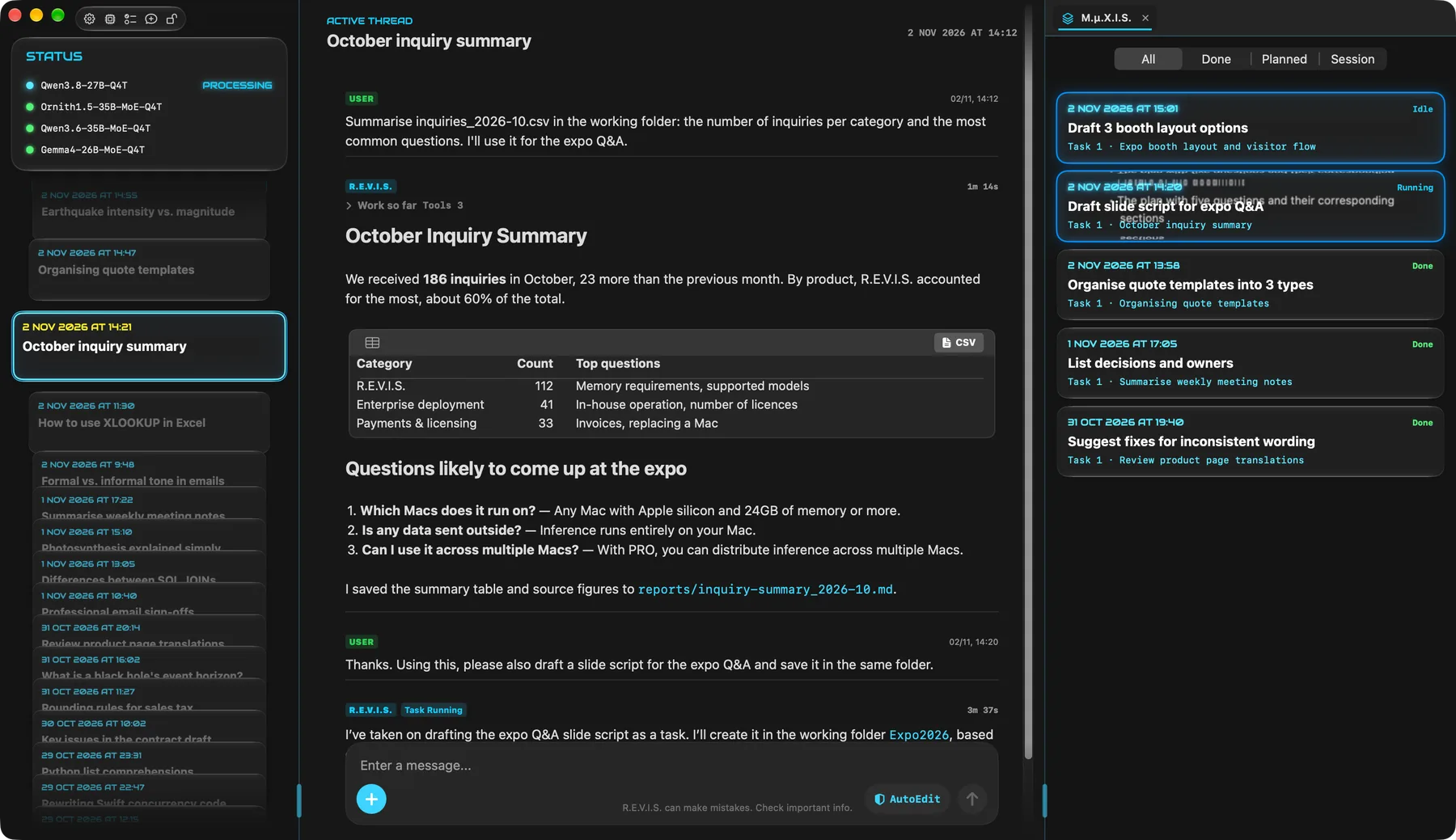
The conversation keeps going
Long jobs run in the background, so you can move on to your next question without waiting. Replies and tasks each run in their own order.
In order, per folder
Tasks in the same working folder run one at a time. They don't compete for the same files, and each task builds on the result of the one before.
You hold the reins
Work stays inside the folder you specify. You decide how much to delegate, and it checks with you before important operations.
You do the talking.
M.μ.X.I.S. moves the work forward.
SEVEN CORES / ONE CONSCIOUSNESS