Safety
Safety by Design
Safety, built in from the start.
R.E.V.I.S. is an AI that thinks and gets work done right inside your Mac. That is why, before building features, we decided on the ground rules first: never send your content outside, never go beyond what you delegate, and never fall for hidden instructions or dangerous requests. Instead of relying on a single safeguard, it protects you in multiple layers.
YOUR MAC
- Conversations
- Documents you share
- Learned preferences
- Research results
- Processed contextencrypted
INTERNET
What goes out
- Search terms and pages opened
- Model downloads
- Traffic needed to run the app
What we never do
- Send to external AI services
- Collect usage data or error logs
Four Rules
Four principles we decided first.
- 01 PRIVACYYour content never goes outBoth thinking and remembering happen inside your Mac. No external AI services are used.
- 02 CONTROL PROYou decide how much to delegateThe agent works within a designated place and checks with you before stepping outside its bounds.
- 03 GUARDIt won't follow hidden instructionsBuilt to resist instructions hidden inside Web pages or files.
- 04 CAREIt won't take on dangerous requestsIt will not start work on requests that lead to harming people or committing crimes.
01 — Privacy
Thinking and remembering stay inside your Mac.
From the inference engine to memory, the entire AI system lives inside your Mac. Your conversations and documents are never sent to external AI services, and there is no mechanism to collect usage data or error logs.
| When searching | Your search terms and access to the pages opened. |
|---|---|
| When adding a model | Downloading the model. |
| Other | Traffic needed to run the app. Never includes the contents of your conversations or documents. |
Stored where only you can read it
Conversations and learned preferences are saved in a location on this Mac that only you can read. Processed context is kept encrypted, and sensitive information is protected by the macOS Keychain.
Delete it whenever you want
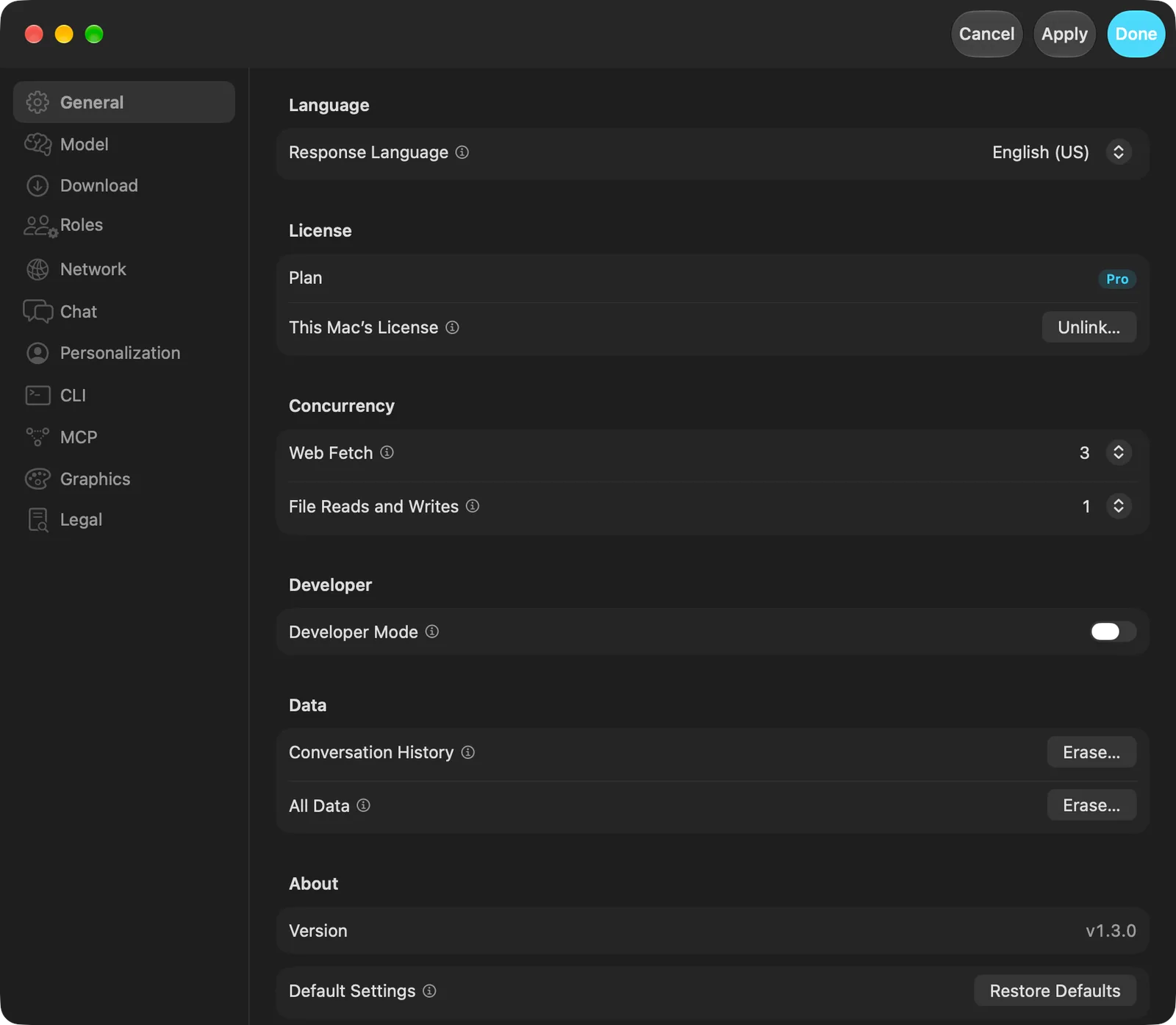
Delete all of your "Conversation History" at once in "General" settings. Review the preferences it has learned in "Personalization" and delete them one by one.
Other conversations don't mix in
Context is kept separate for each conversation. Locked conversations never have other topics routed into them.
02 — Control PRO
You decide how much to delegate.
The agent runs inside a macOS sandbox within the working folder you choose. You choose how much to delegate in steps, and before any action goes beyond that scope, it checks with you and explains why it is needed.
Stays inside the working folder
Your home folder and system folders cannot be set as the working folder. It never touches anything outside the place you choose.
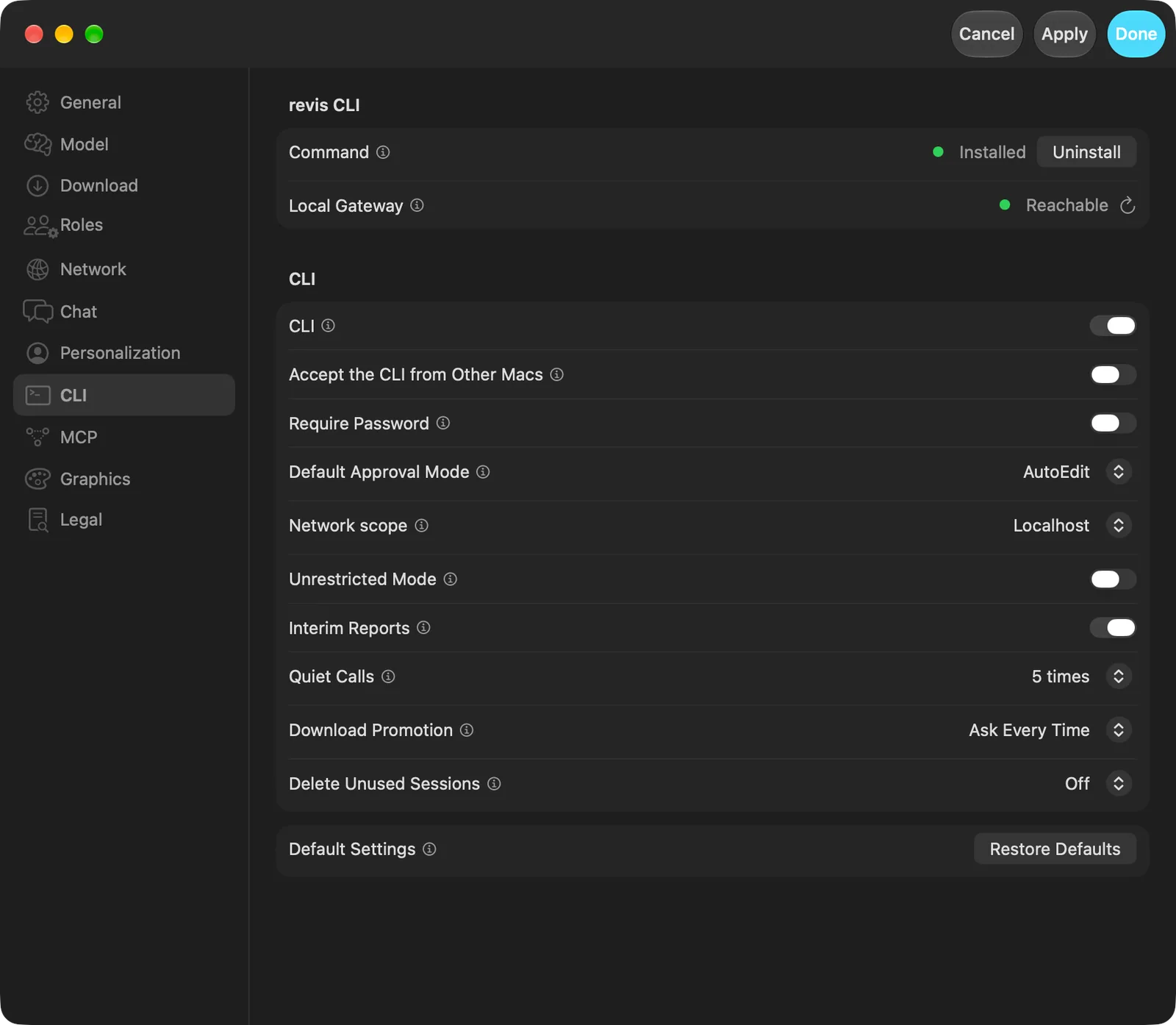
You also choose its network reach
By default, commands run by the agent reach only inside this Mac. You decide whether to expand that.
Checks again before deleting
When the agent is about to delete a file it did not create, it stops and double-checks that the file is really safe to delete.
Skips confirmation only when you choose
"Unrestricted Mode," which reduces confirmations, is off by default. Turning it on requires clear confirmation.
Runtime environment kept separate from your Mac
Required runtime environments are placed in a dedicated R.E.V.I.S. location, leaving what came with your Mac untouched.
See progress and stop anytime
It reports progress along the way, and you can stop it at any time. You are never left in the dark.
03 — Guard
It won't follow hidden instructions.
Web pages and files sometimes hide instructions aimed at AI. R.E.V.I.S. treats what it reads strictly as material and checks it beforehand so hidden instructions cannot steer it.
Web pages open in isolation
Web pages are opened in a space isolated from the main app and leave no trace once closed.
Suspicious content is removed or shown to you
Suspicious content is either stripped out or shown to you first. It never silently obeys.
Downloads are quarantined firstPRO
Files downloaded by the agent are checked before being moved into the working folder.
04 — Care
It won't take on dangerous requests.
It will not start work on requests that lead to crime or harming someone. It declines briefly and suggests another way if there is one. If someone appears to be in danger, it points to places that can help.
Calm and brief when declining
It does not lecture. It explains the reason briefly and calmly.
Sources stay visible
Answers researched on the Web include links to the pages it read.
Verify what matters
Even so, AI answers can be wrong. For matters involving health, money, or the law, please verify with primary sources or a professional.
Network PRO
Encrypted between Macs, too.
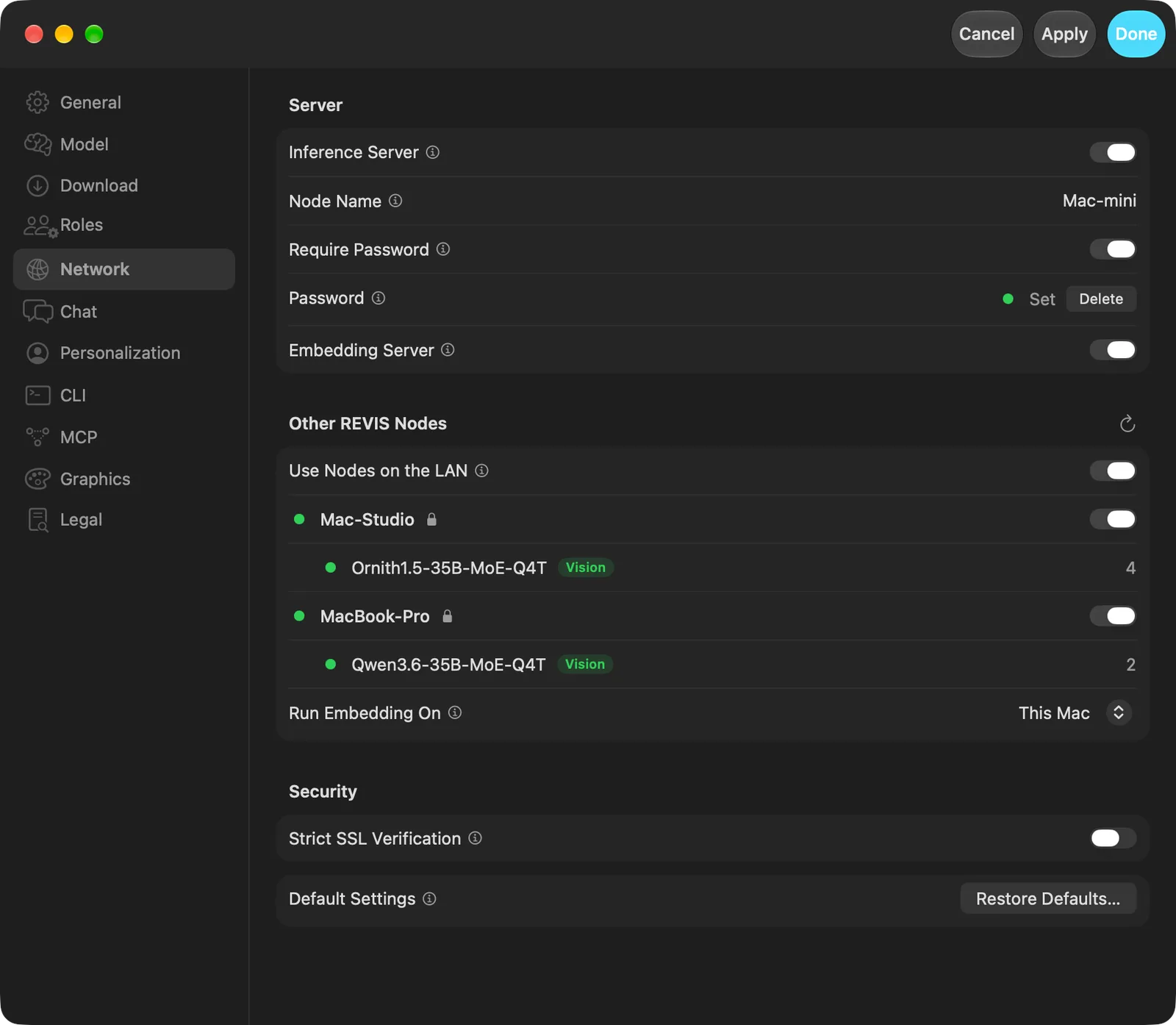
When sharing work across multiple Macs, communication between Macs is always encrypted. Both the inference server and connections from other Macs are all off by default. You turn on only what you use.
| Inference Server | Off by default. |
|---|---|
| CLI, MCP, and API from other Macs | Off by default. Each can be enabled individually. |
| Require Password | Requires a password from any Mac that connects. |
| Strict SSL Verification | Verifies a newly connecting Mac with Touch ID before trusting it. |
And More
And down to details like these.
Won't exhaust your memory
Before loading, it checks whether the model fits in memory and refuses to load it if it won't — preventing your whole Mac from freezing.
Recovers if it stops
Inference runs separately from the app. In the unlikely event it stops, it reloads automatically.
We never receive your card details
Payments are handled by Paddle. We never receive your card information.
You only delegate the work.
Everything inside stays on your Mac.
SEVEN CORES / ONE CONSCIOUSNESS